I’ve been using WordPress to build my Presell Sites since version 1.5 back in 2005.
I started using a theme called Semiologic, built by Denis de Bernardy. It was clean and minimalist and sported some really useful plugins (some of which I still use today).
(Denis eventually sold Semiologic.)
In 2008 I purchased Thesis, built by Chris Pearson, and have been using it ever since. It was love at first sight.
For my needs it was PERFECT.
It was everything that I valued about Semiologic, but with so much more power, customization, and lightweight speed.
I’m a WordPress theme junkie. I buy every premium theme package that I see in the marketplace, especially if it’s a framework, like Thesis.
Many are more flexible than Thesis (drag and drop builders), but the code they produce is freaking horrendous and bloated (a quick “view source” will reveal the chaos). And they also typically sport other compromises I’m just not willing to live with.
I care about a clean, minimalist design, well-written code (that produces a lightweight footprint), and beautiful typography (did I say I love fonts?!).
Thesis nailed all of these. That’s because these things matter to Chris. This is why I used WordPress + Thesis (with the Effectus skin; although the bundled Classic Responsive will do the job, too).
Then earlier in 2017, I discovered GeneratePress. It’s created by Tom Usborne, who cares about minimalist lightweight design, much like attracted me to Thesis.
GP is free. The Premium version is $39.95, which is what I use now. That’s $39.95 for an unlimited license (you can install it on all your sites).
In contrast, Thesis costs $197 for Pro plan.
We’ve already moved our primary brand website over to GeneratePress. Over time we’ll replace Thesis on all our satellite sites over to GP, too.
Why did I move from Thesis to GeneratePress if I loved Thesis so much? Simplest answer – because GP can do everything that Thesis can, and more.
The development cycle is also much faster with GP. It’s amazing. You won’t be disappointed.
If you don’t care that much about a lightweight, fast code and beautiful typography, then most premium themes, including many free themes, should do you just fine.
Use what suits your needs.
I recommend GeneratePress because it’s what we use.
But as I said, you can use anything you want, so long as it offers a clean distraction-free experience.
Page Layout
I always set the theme to a single column layout. Typically between around 700 pixels wide.
In Thesis
Thesis > Skin Design > Site Layout.
In GeneratePress:
Appearance > Customize > Layouts Container.
Any decent WordPress theme should have a single column (sometimes labeled as full-width) layout option. Specifying the width in pixels may not always be an available option though.
Personally, I don’t like single column templates that span the full page width. A column width that’s too wide makes it challenging to read the text.
As a rule of thumb, I use Medium as my benchmark design (it’s clean and minimalist, with the focus on making the content the hero, like this one.
Typography
Thesis (as does most other decent themes) allows you to use the Google Font Directory to pretty much choose any font you desire.
Typewolf has an awesome curated collection of the 40 best Google Fonts:
I set my body fonts to be fairly large (again, I use Medium as a guide). Between 17 and 21 pixels, depending on the font.
My favorite fonts are, Lora, PT Serif and Merriweather. I prefer serif fonts for body and sans-serif for headlines. The rule of thumb is to use the opposite. Here are some nice headline & body text pairings on Google Fonts.
Sans-Serif:

Serif:

Creating & Naming Pages
1.) I set the Permalink to Custom Structure: /%postname%/
(Settings > Permalinks)
2.) Each PS page is a page in WordPress (add page). I typically name the page (page permalink name) as page-1, page-2, page-3, etc (or lesson-1, lesson-2, etc):
domain.com/page-1/
domain.com/page-2/
domain.com/page-3/
You don’t have to use this naming convention. I sometimes name pages more descriptively, like:
domain.com/the-secret/
domain.com/step-1/
domain.com/step-2/
domain.com/invisible/
domain.com/the-battleplan/
domain.com/next-step/
domain.com/traffic-strategy/
There’s no right or wrong way to do this. Go with whatever works for you.
3.) Then manually link the pages together contextually and via the CTA (al la Click Here To Continue…).
NOTE: For contextual links, I only ever LINK BACKWARDS (to a previous page). I never link to a future page, as I don’t want people skipping forward. The only way to advance is through the CTA link at the bottom of each page.
Lead Capture (Moving People to the Next Tier within Your SOI)
I use ConvertKit for email.
All ESPs offer their own email form builders. That said, most are pretty bland and typically don’t support a two-step process (which is my preference).
I PREFER to have them click a link or button, which then pops up the opt-in box. And I ALWAYS ask for their first name:
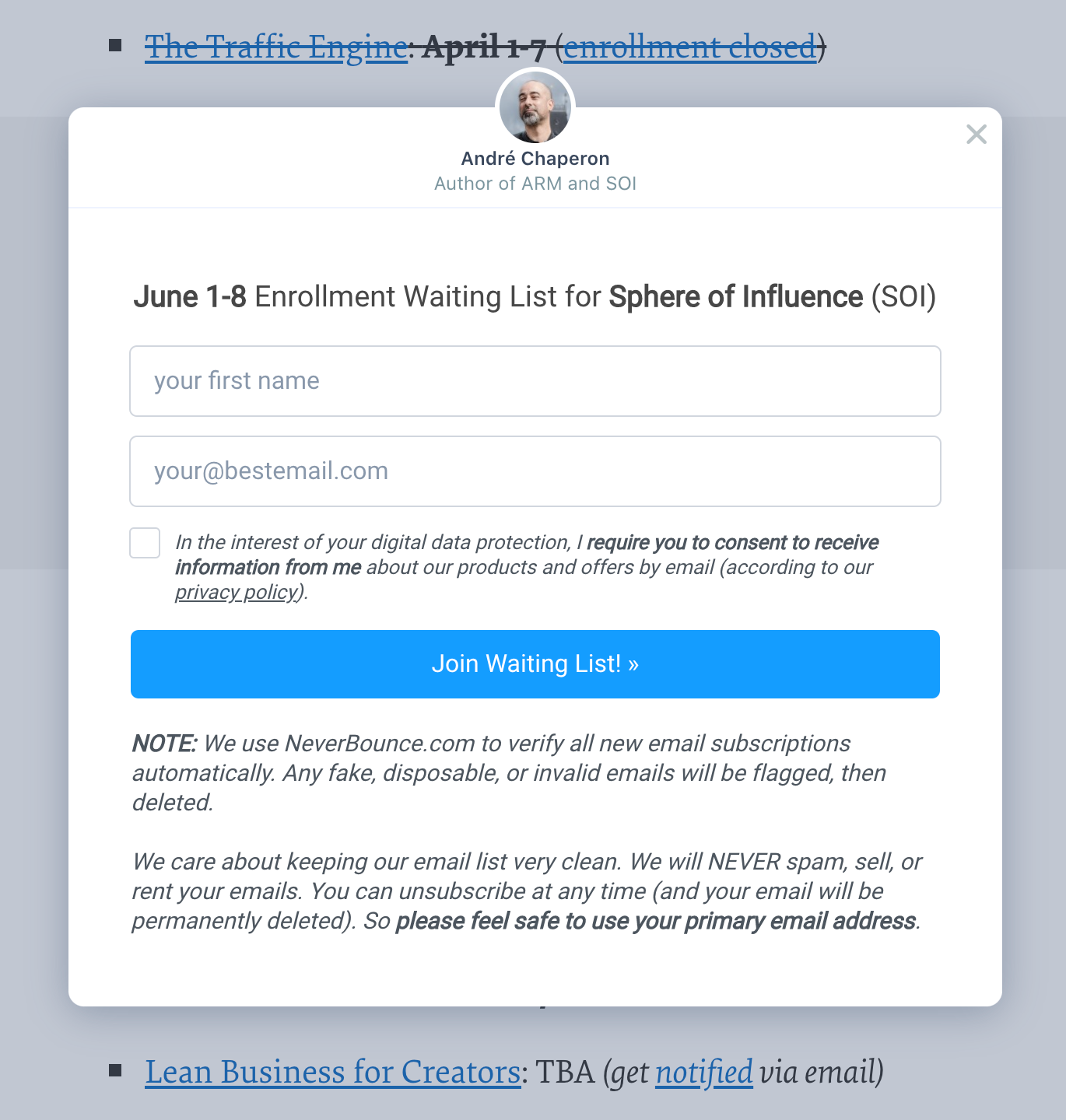
I WANT people to work to get on my list. I want there to be a perceived barrier-to-entry. I WANT them to take the time and enter in their name, even if I never use email personalization.
You hear smart marketers like Perry Belcher and Ryan Deiss (and many others) saying to omit asking for the first name because it adds friction and lowers opt-in rates.
It does. They’re right. But that’s not the point.
I don’t give a shit about those people who can’t be bothered to take the 3 seconds to enter in their first name.
If entering their first name is too scary for them, or too much damn effort, I DON’T WANT THEM.
Adding extra fields to the opt-in is good, not bad. It’s another “filtering” process. It pulls just the best people through the opening and leaves the others outside at the door.
Less is more.
I’ve even gone so far as to ask people to manually type a statement into a custom field on the opt-in form (below their name and email).
Example: Please type, “YES Andre, I’m serious about taking action and wanting change!” before I can add you.
Remember that story about The Magic Act (where the Chinese were able to change the beliefs of American POWs in the Korean war by just getting them to write (or copy) a pro-Communist answer, which eventually remapped their beliefs)?
Doing this increases your odds of earning their attention right out the gate.
NEXT: Funnel Visualization and Tracking